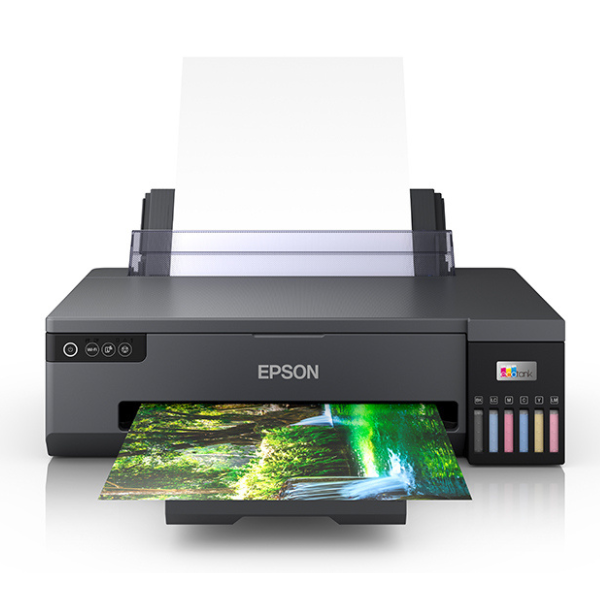
Product Description
Unleash your creativity with the brand new Epson EcoTank L18050, the ultimate A3+ photo printer for photographers, designers, and businesses in Uganda. Say goodbye to expensive cartridges forever! This printer's revolutionary integrated ink tank system delivers thousands of high-quality prints at an ultra-low cost per page, making professional printing affordable.
The 6-colour Claria ET Premium ink set produces outstanding, vibrant photos with smooth gradations and deep, rich blacks. Print stunning borderless photos right up to A3+ size, perfect for portfolios, marketing materials, and preserving your precious memories. With a super-high resolution of 5760 x 1440 dpi, every detail is captured with incredible sharpness and clarity.
Built for the modern workspace, the L18050 offers seamless connectivity. Easily print from your laptop, tablet, or smartphone using Wi-Fi and Wi-Fi Direct. You can even print directly onto inkjet-printable CDs and DVDs to create a professional finish for your projects. This brand new, sealed printer is a reliable workhorse designed to bring your creative visions to life with exceptional quality and unmatched economy.
📖 HOW TO USE
1. Carefully unbox the printer and remove all protective tapes and materials.
2. Fill each of the six ink tanks with the corresponding color ink bottle. The bottles are keyed to prevent mistakes.
3. Plug in the power cord and turn on the printer. Follow the on-screen prompts for initial ink charging.
4. Load A4 paper and perform the initial print head alignment as guided by the setup process.
5. Connect the printer to your Wi-Fi network using the Epson Smart Panel app or your computer's software to start printing wirelessly.
💡 TIPS & CARE
• For the absolute best photo quality and to protect your printer, always use genuine Epson inks.
• Use high-quality photo paper that matches your project to achieve vibrant, long-lasting prints.
• If the printer is unused for a while, run a nozzle check from the maintenance menu to prevent ink from drying and clogging.
• Download the Epson Smart Panel app on your phone for easy setup, monitoring, and printing.




