Product Description
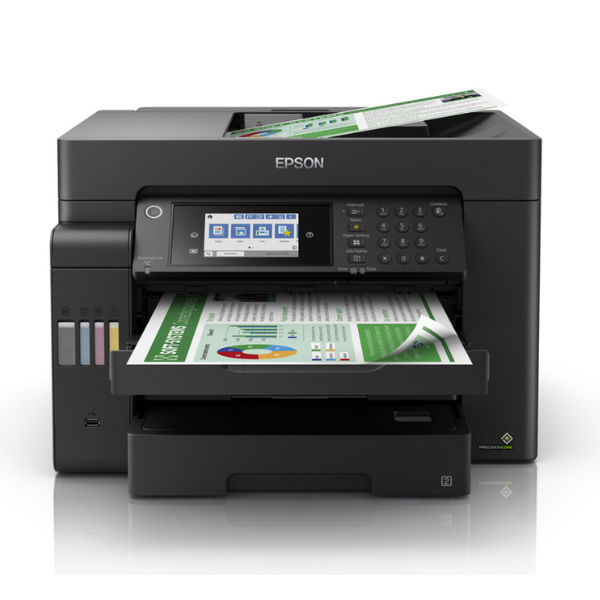
Supercharge your office productivity with the brand new Epson EcoTank L15150 A3+ printer. Designed for businesses in Uganda that need high performance without the high cost, this all-in-one machine is a game-changer. Say goodbye to expensive cartridges forever! The integrated high-capacity ink tank system delivers an incredibly low cost-per-page, allowing you to print thousands of pages before needing a refill. It's perfect for printing large spreadsheets, architectural plans, marketing materials, and everyday documents with sharp text and vibrant colours.
This isn't just about saving money; it's about working smarter and faster. With blazing-fast print speeds of up to 25 images per minute and automatic double-sided printing, you'll get your jobs done in record time while saving paper. The large 550-sheet paper capacity means less time spent refilling trays and more time focusing on your work. Powered by Epson's PrecisionCore Heat-Free Technology, you get reliable, high-quality prints every single time.
Connectivity is simple and flexible. Easily print from your computer, laptop, tablet, or smartphone using Wi-Fi, Wi-Fi Direct, or Ethernet. The Epson L15150 is built to handle the demands of a modern Ugandan office, offering a complete solution for printing, scanning, copying, and faxing, all in one compact and robust unit. Get your brand new, sealed unit today and elevate your business printing capabilities.
📖 HOW TO USE
1. Carefully unbox the printer and remove all protective tapes and materials.
2. Fill each ink tank with the corresponding color from the included genuine Epson ink bottles. Do not mix colors.
3. Plug in the power cord, turn on the printer, and follow the initial setup instructions on the LCD screen.
4. Connect the printer to your Wi-Fi network or via an Ethernet cable.
5. Install the necessary drivers and software on your computer from the Epson website to begin printing.
💡 TIPS & CARE
• For the best print quality and to protect your printer, always use genuine Epson ink bottles.
• Periodically run the nozzle check utility to ensure print quality remains sharp and clear.
• Utilize the different paper trays for different paper types or sizes for maximum convenience.
• Download the Epson Smart Panel app on your phone to easily manage print jobs and monitor ink levels remotely.




