Product Description
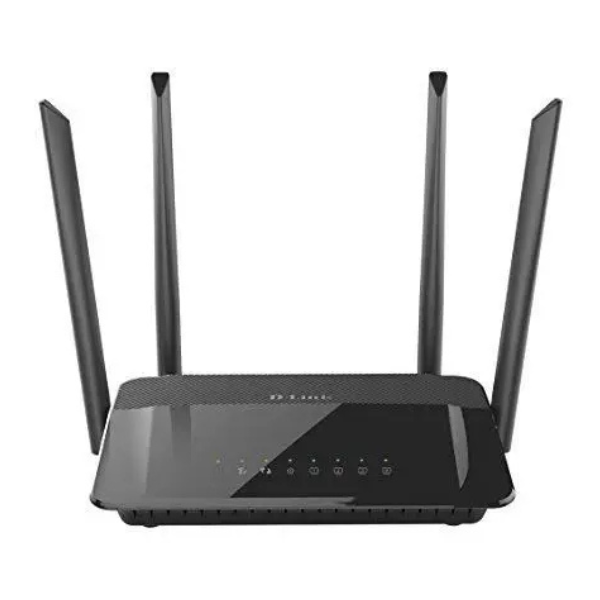
Upgrade your home network with the BRAND NEW D-Link DIR-822 AC1200 Wi-Fi Router. Say goodbye to buffering and slow internet! This powerful router is designed to handle the demands of a modern Ugandan household, providing fast and stable internet for all your devices, from smartphones and laptops to smart TVs and gaming consoles.
The DIR-822 uses the latest Wireless AC technology and operates on two Wi-Fi bands simultaneously (Dual-Band). Use the 2.4 GHz band for everyday tasks like browsing and email, while the high-speed 5 GHz band is perfect for lag-free online gaming and smooth HD video streaming. Four high-gain external antennas significantly boost the Wi-Fi signal, ensuring strong, reliable coverage throughout your home, even in hard-to-reach areas. For devices that need a stable wired connection, like a desktop computer or a gaming console, four Fast Ethernet ports are available for your convenience.
Whether you're working from home, your kids are attending online classes, or the whole family wants to enjoy a movie night on Netflix, this router ensures everyone has a fast connection. It's simple to set up and features robust WPA/WPA2 security to keep your network safe and private. Get the performance you need for a fully connected home with this brand new, reliable D-Link router.
📖 HOW TO USE
1. Unpack the router and all accessories from the box.
2. Connect the power adapter to the router and plug it into a wall socket.
3. Connect your internet modem's cable to the yellow 'INTERNET' (WAN) port on the back of the router.
4. Using your computer or phone, connect to the Wi-Fi network name (SSID) printed on the sticker on the router.
5. Open a web browser and follow the on-screen setup wizard to create your personalized network name and password.
💡 TIPS & CARE
• For best coverage, place the router in a central location in your home, away from thick walls.
• Position the antennas vertically for optimal horizontal signal reach.
• Keep the router away from large metal objects and appliances like microwaves that can cause interference.
• Regularly check the D-Link support website for firmware updates to ensure the best performance and security.