Product Description
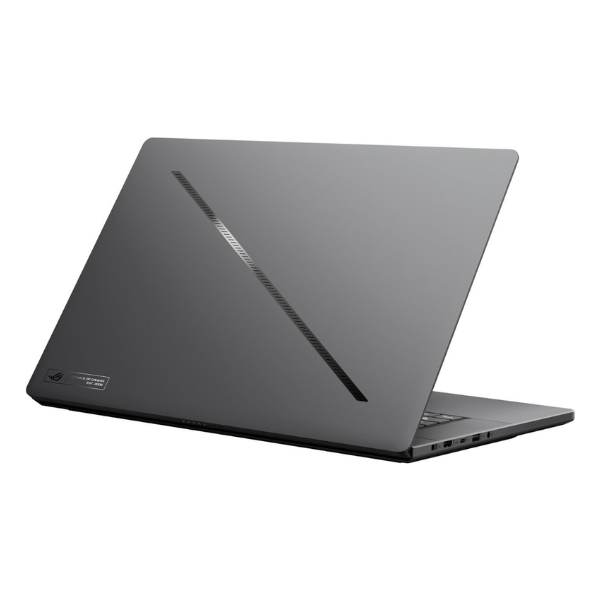
Unleash the ultimate power for gaming and content creation with the BRAND NEW ASUS ROG Zephyrus G16. This machine is built for those who demand the best, combining a sleek, ultra-modern design with cutting-edge components. At its heart is the formidable Intel® Core™ Ultra 9 processor, paired with an NVIDIA® GeForce RTX™ 4070 Laptop GPU, delivering breathtaking speed and realism in the latest games and creative applications. It's not just a laptop; it's a statement of power, ready to dominate any task you throw at it, right out of the sealed box.
The visual experience is simply next-level. The 16-inch ROG Nebula HDR Display is a true game-changer, featuring OLED technology for perfect blacks and infinite contrast. With its stunning 2.5K resolution and an incredibly smooth 240Hz refresh rate, every detail is sharp, and every motion is fluid. Whether you're in a fast-paced shootout in your favorite game or doing precise color grading on a video project, this display gives you an unmatched visual edge. The vibrant colors and deep blacks will make your content come alive like never before.
This brand new laptop is engineered for excellence. With a massive 1TB of ultra-fast NVMe SSD storage, your games and applications load in an instant. The 16GB of high-speed DDR5 RAM ensures seamless multitasking, allowing you to stream, play, and work without a single stutter. The advanced ROG Intelligent Cooling system keeps temperatures low for sustained peak performance during long sessions. For anyone in Uganda looking for a premium, brand new laptop that offers no compromises, the ASUS ROG Zephyrus G16 is the perfect choice.
📖 HOW TO USE
1. Carefully unbox the brand new laptop and all included accessories from the sealed packaging.
2. Connect the included AC adapter to the laptop and plug it into a power outlet. Fully charge the battery before the first use.
3. Press the power button to turn on your new Zephyrus G16.
4. Follow the on-screen Windows 11 setup guide to connect to Wi-Fi and personalize your settings.
5. Install your favorite games and creative software to begin experiencing elite performance.
💡 TIPS & CARE
• For the best gaming experience, always keep the laptop on a flat, hard surface to ensure proper airflow for the cooling system.
• Regularly update your NVIDIA GeForce drivers through the GeForce Experience app to get optimal performance in the latest games.
• Use the pre-installed ASUS Armoury Crate software to switch between performance modes (Silent, Performance, Turbo) and customize the keyboard lighting.
• Pair the laptop with a high-quality gaming mouse and headset to fully immerse yourself in your games.